Launch your teaching library
for membership sales in minutes.
Edit your clips together, add your voiceover, and librarypop handles the rest. We've got you covered with video titles, descriptions, thumbnails, text overlays, and membership management.
Aerial Yoga Starter Kit
All the tutorials you need to master the basics
Key concept
Extend the hammock to your ankles
How it works
A streamlined workflow so you can focus on teaching
- 1
Edit and upload
Edit your clips together, add your voiceover, and upload to librarypop. No need to add text overlays or plan video descriptions or thumbnails.
- 2
librarypop builds your library
librarypop organizes your videos into collections, writes titles and descriptions, adds text overlays, and picks a thumbnail moment for each video. You review and customize before students see it.
- 3
Share and sell memberships
Set a monthly and/or annual price and publish your library. Students become paid members.
What you get
The tooling you need to finally launch your teaching library
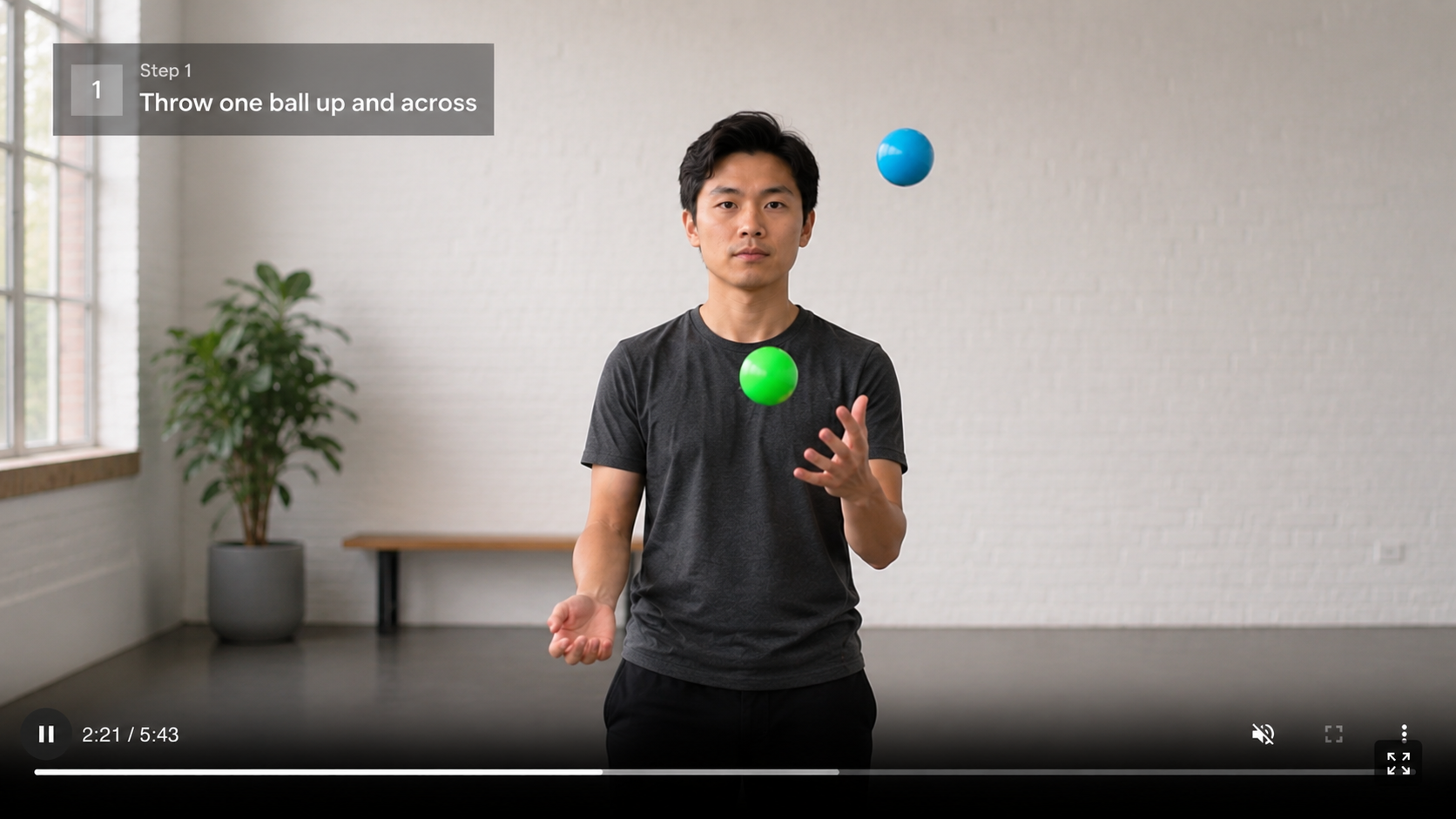
Skip hours of manual editing
Title and key concepts appear on screen automatically as text overlays. You can edit or remove any overlay, or add your own.
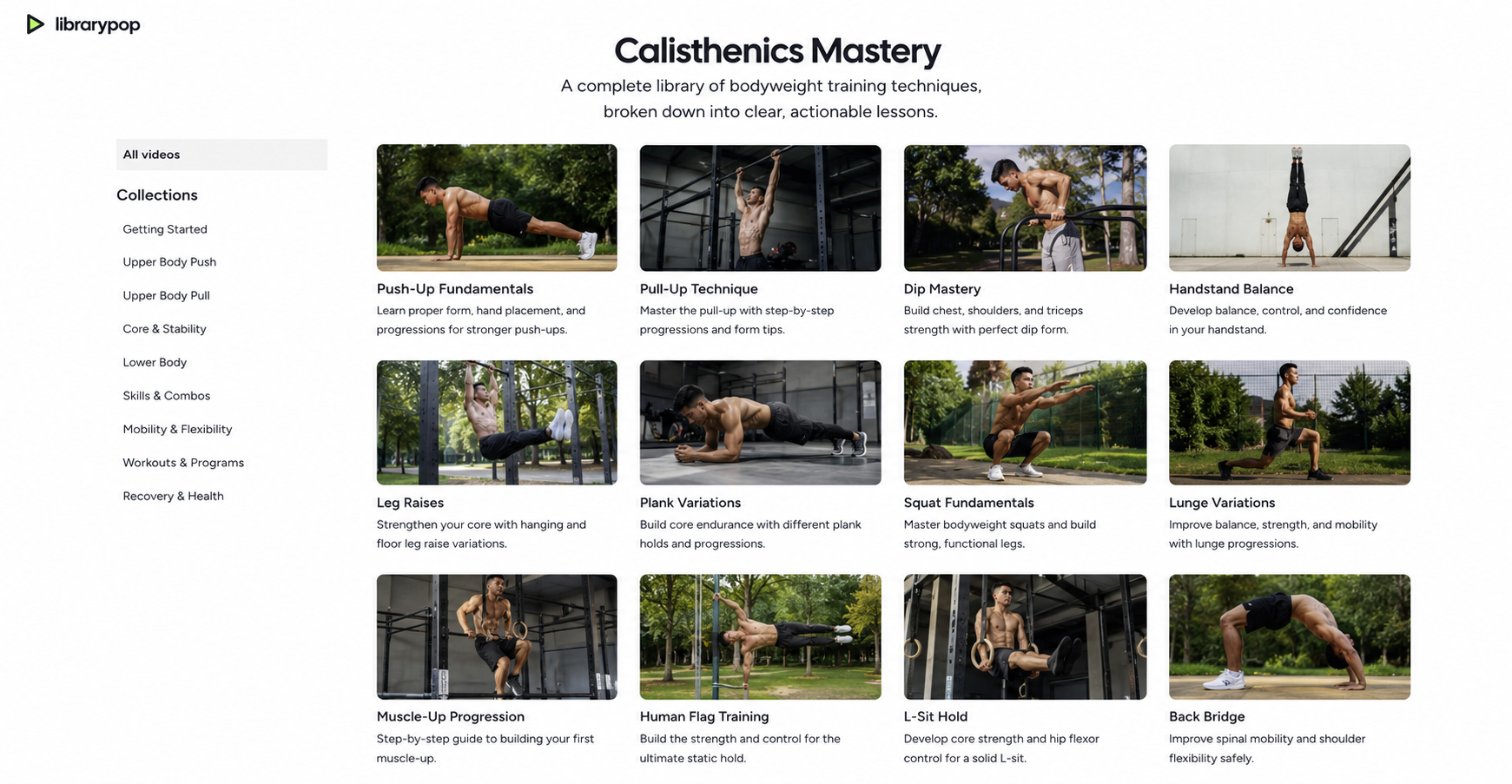
Your videos transformed into a library for you
librarypop organizes your tutorials into collections, handles the titles and descriptions, and picks a thumbnail moment for each video.
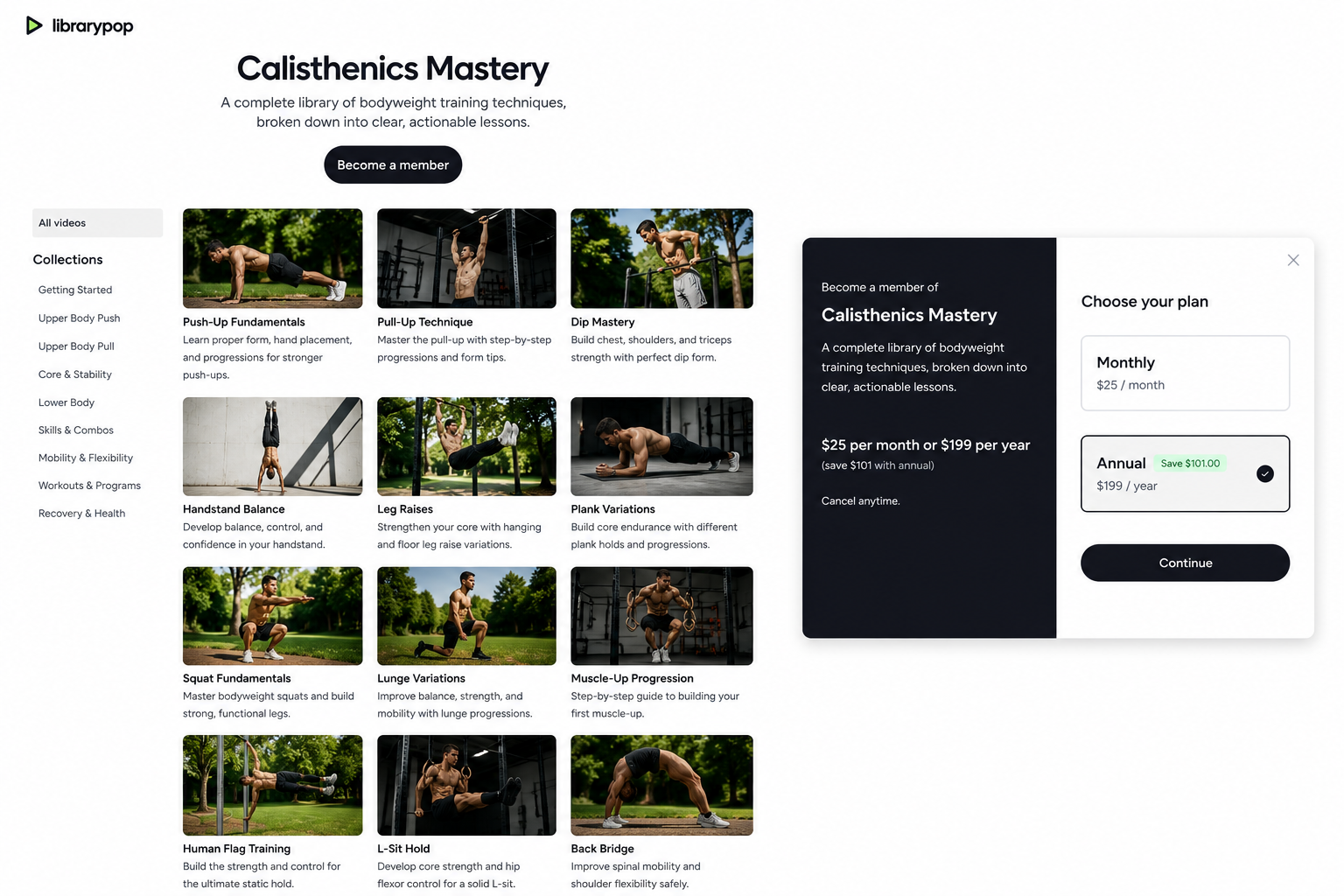
Publish and start accepting students
Set your price, share your library link, and students join through a simple signup and checkout.
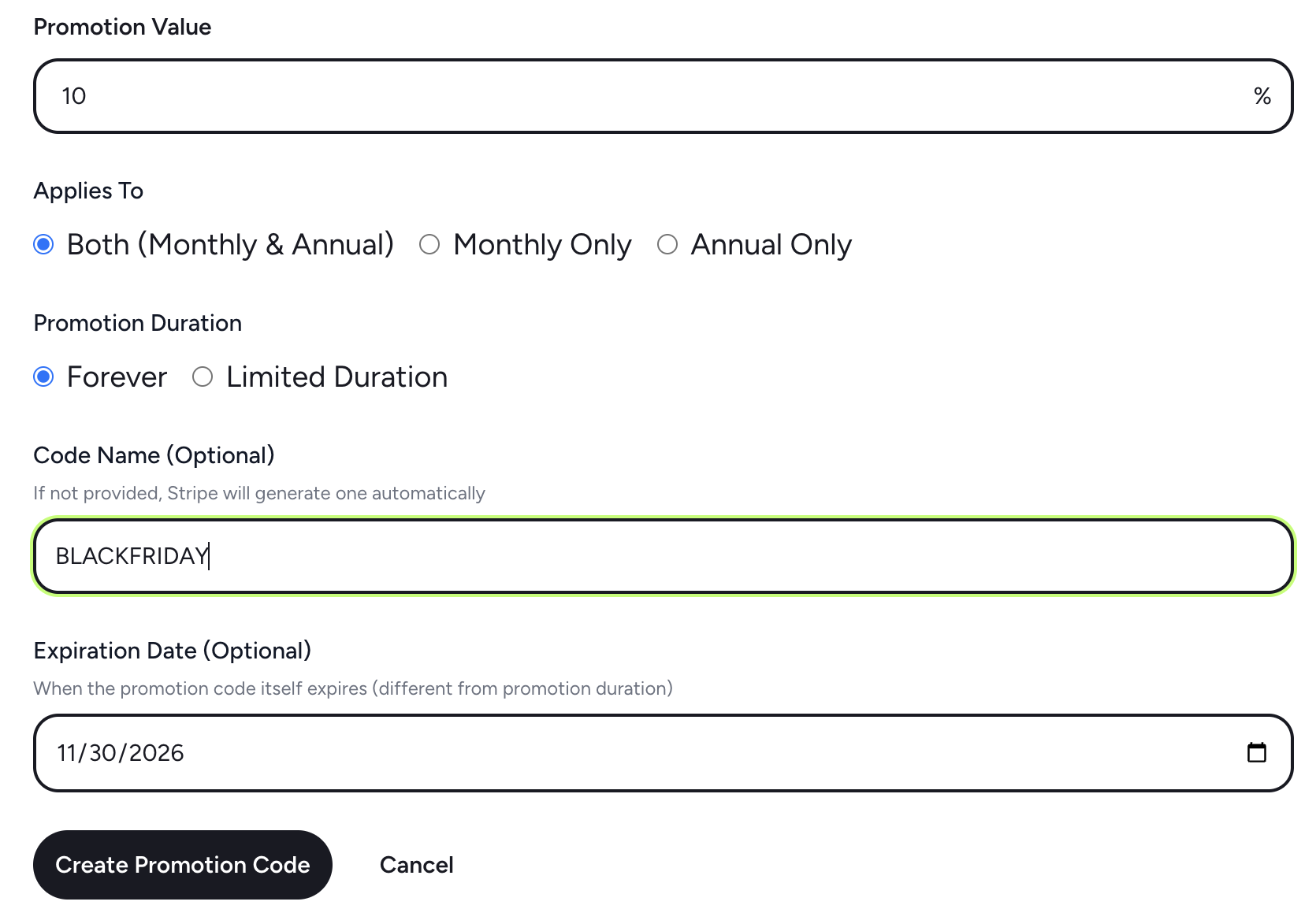
Run sales with promotion codes
Create promotion codes to offer discounts to your students.